Claude Code
Native terminal agent with deep tool use and autonomous subagents
Turn goals into executable work: coordinate persistent agents, pick AI resources, and only reach done when there is verifiable evidence.
Nexus runs 100% locally on your machine. Plug in the CLI coding agents you already subscribe to or run locally, each isolated in its own Git worktree.
Native terminal agent with deep tool use and autonomous subagents
Precise execution with reasoning and verified file diffs
High-performance open-source multi-provider client for terminal
Ultra-long context window for whole-repository ingestion
Rapid reasoning and full-stack software synthesis
Autonomous orchestration and evidence-gated verification
Terminal multiplexing and lightweight, resilient agents
Fast codebase indexing and semantic symbol navigation
One system to operate coding agents — not a patchwork of scripts.
Local work areas with isolated context, terminals and configuration per project.
An Agent is a durable identity. Codex, Claude, Gemini and others are selectable runners bound by capacity and policy.
Models, profiles and limits managed in the Core, never coupling the agent role to a provider.
Supervised execution, diagnostics via nexus doctor and headless scripting through the CLI.
Intent structured into versioned work plans with clear steps and acceptance criteria before execution.
Execution under policies, gates and isolation, with GO as a real boundary and recovery on failure.
Safe parallel writing in worktrees, plus resource policies for agents and runtimes.
Receipts, artifacts, memory and verification: textual "done" is not success. The destination is COMPLETED_VERIFIED.
From a text objective to a verified result — with you authorizing every material step.
You describe what you want to achieve, in natural language, inside a Project.
Intent is turned into a versioned work plan: steps, dependencies and acceptance criteria.
You review and authorize a specific plan revision before running — a real boundary.
The Mission runs under policies, isolated worktrees and quotas, coordinating agents through a closed protocol.
Tests, artifacts and Definition of Done decide. Textual "done" does not close a mission.
An Agent is a persistent identity with a role and memory. Codex, Claude, Gemini and other runners are resources selected by capacity, policy and availability — switching providers does not switch your agent.
This avoids coupling the worker's role to a specific provider: models change; the agent persists.
Agents never chat loose: all coordination goes through the MissionRunner, which tries memory and receipts before creating another run and blocks replay without proof of safety.
local visual operation: Projects, Agents, Workspaces and Missions
native shell when the platform has matching native evidence
automation, diagnostics, scripting and headless execution
The HUD projects the Core state in real time — Capacity, Scheduler, Costs, Agents and Missions — into the Web OS and a native gadget.
Not another AI chat: a complete runtime for coordinating software work.
Missions only close as COMPLETED_VERIFIED: tests, artifacts and Definition of Done. No declared "done".
GO is a real boundary: nothing executes without your approval of a specific plan revision.
Agent ≠ provider: your agent survives model changes. Capacity and routing are chosen by the Core.
Push/deploy permissions are never implied; no evidence means no success; replay without proof is blocked.
Isolated worktrees, scheduler and resource policies let agents collaborate without collisions.
Workspaces, terminals, runtimes and memory run on your machine — Nexus reports status, it does not hoard your data.
Real product captures — no mocks.
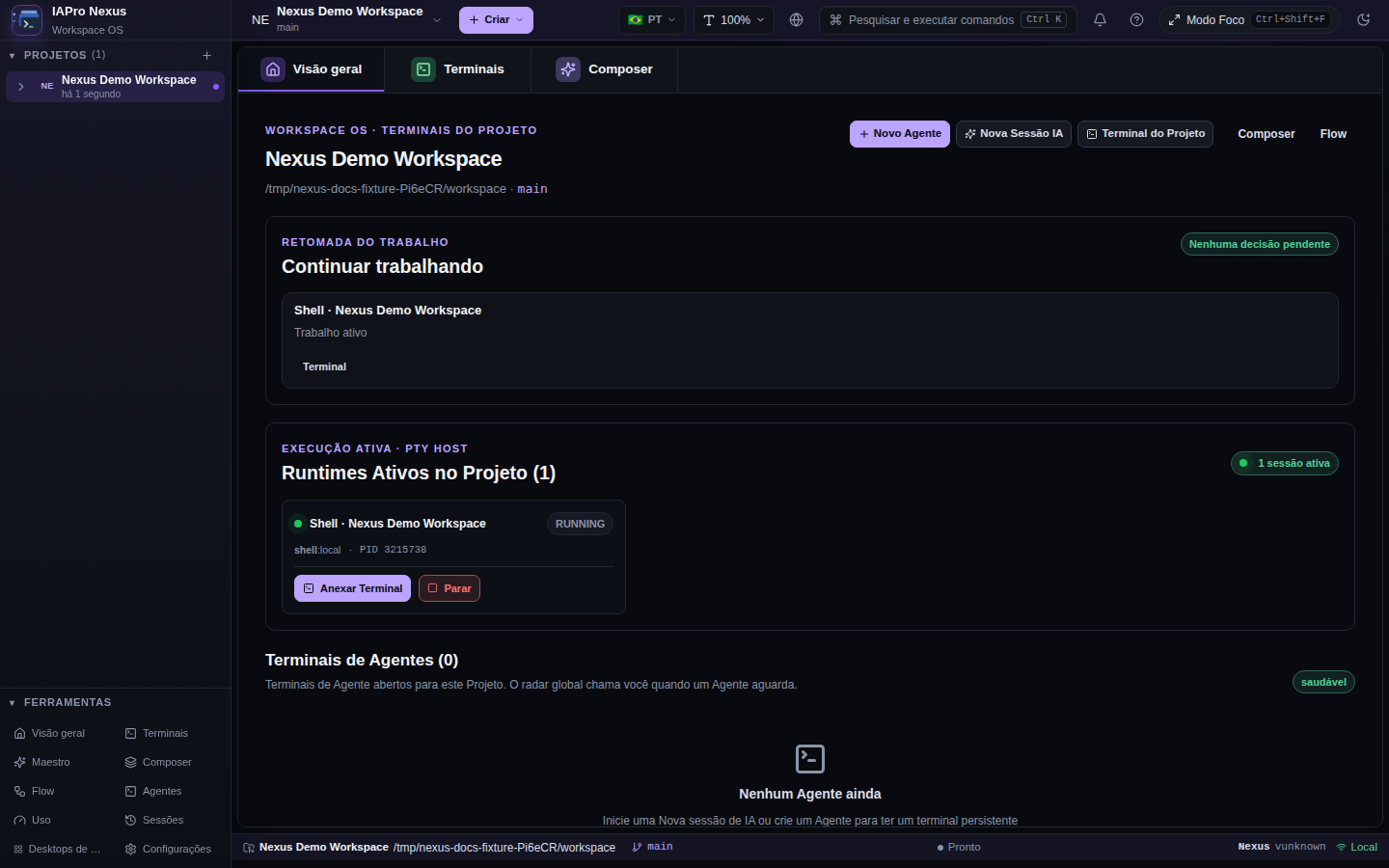
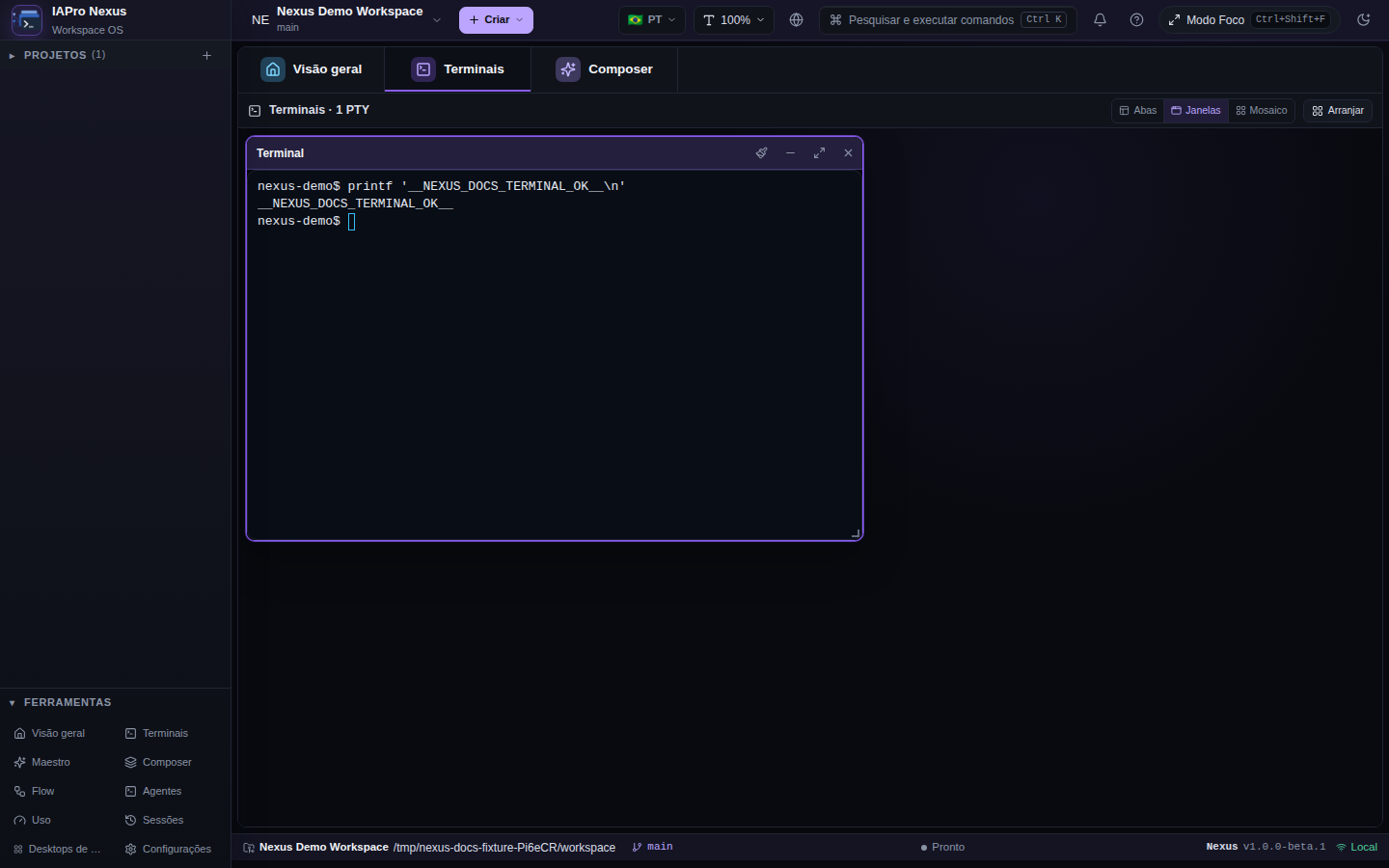
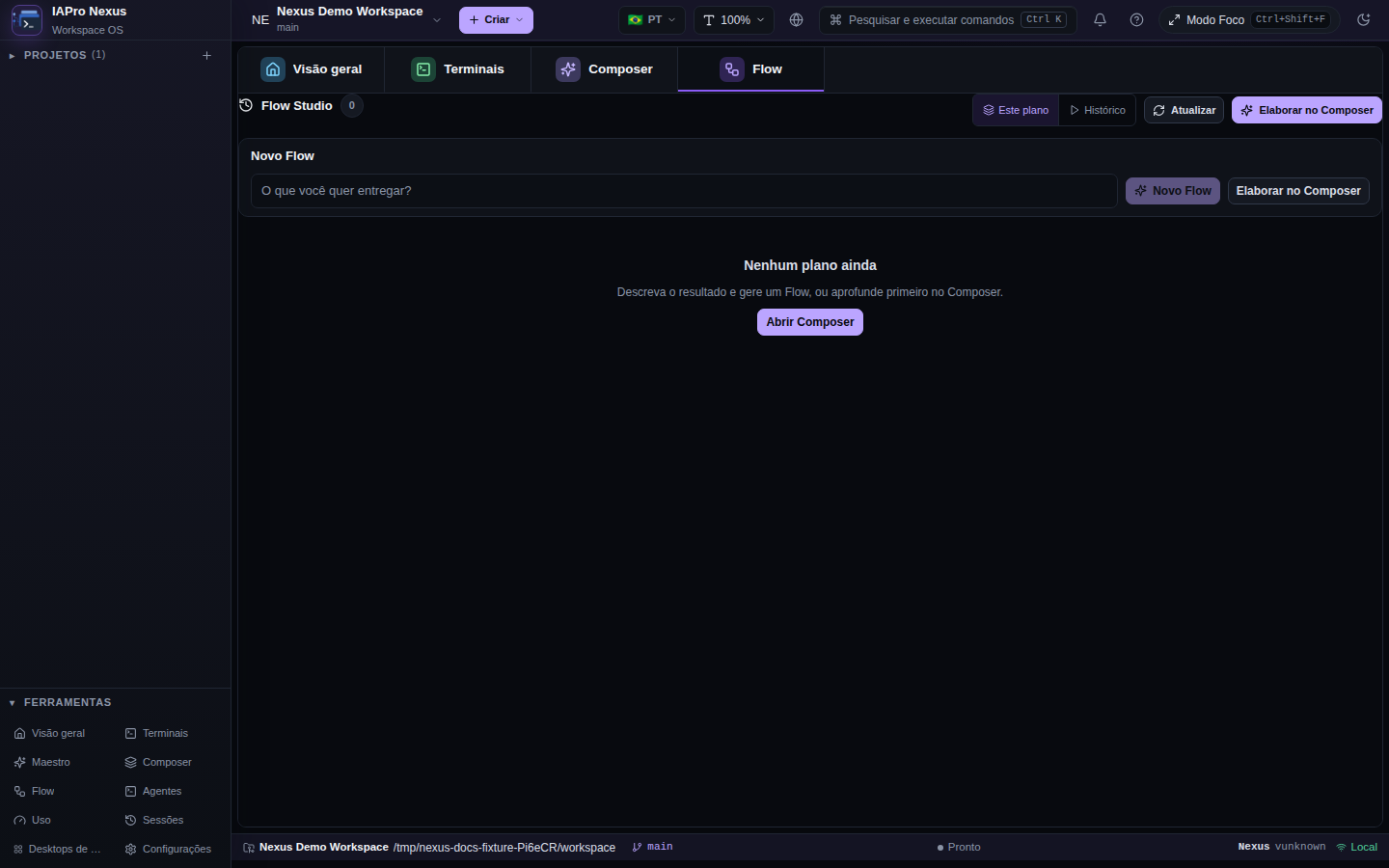
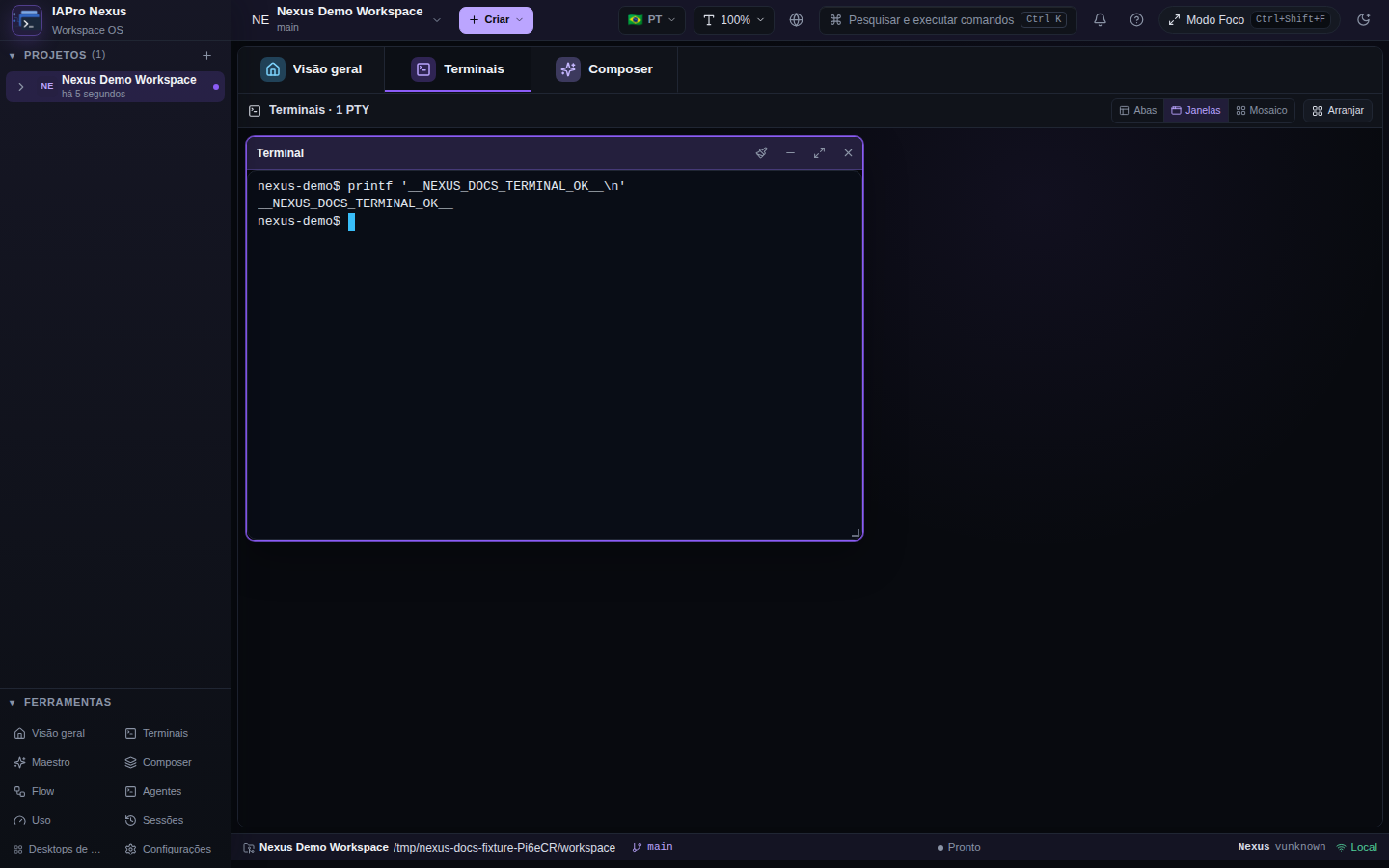
The full visual tour lives in docs/product/visual-tour.md in the repository.
Nexus is the runtime. Maestro is the method that governs what agents do inside of it.
An open source (Apache-2.0) AI agent orchestration kit that runs alongside the Nexus CLI and your favorite tools: Codex, Claude, OpenCode, Cursor, Gemini, Windsurf and more. Instead of letting the AI decide what to read and declare "done" without proof, Maestro organizes the path before execution — with verification and handoff as part of the work.
Mantém a memória durável e distribui as fatias de código para os agents especialistas em worktrees isolados, mantendo o humano no controle de cada merge.
Escopo delimitado e critérios de aceite antes de tocar no código.
Claude Code ou Codex executando fatias limpas sem colisões de branch.
Execução observável dos caminhos alterados. Evidência em log real.
Auditoria de contraste de tokens e integridade da arquitetura.
execution: agents, runtimes, providers, workspaces, UX and evidence
methodology: skills, risk, gates and verification policies
Without the Maestro: Nexus is not left blind: Direct, Workspaces, Terminal and Mission remain native capabilities. The Maestro is accumulated method, not a dependency to run.
From a small fix to long-running multi-agent work with gates.
| Situation | Use |
|---|---|
| Small fix, debugging, exploration | Direct |
| Supervised terminal session | Terminal |
| Long, multi-Agent work with gates | Mission |
| Methodology, skills and external gates | Maestro (optional) |
Mission and Maestro are not prerequisites: Direct alone is enough to start.
Two ways to run it: a native app on your machine, or Nexus Web built straight from source.
Binaries from the official pipelines for Linux, Windows and macOS: Desktop, CLI and HUD per platform. No third-party telemetry.
Download ↓Compile the Web workspace locally from source. This is the recommended path for first use and development.
Each card below lists the current release assets for that OS, straight from the project CI.
tar -xzf nexus-*.tar.gz && sudo mv nexus /usr/local/bin/ && nexus doctor
Extract the .zip and run nexus.exe doctor in a terminal.
tar -xzf nexus-*.tar.gz && sudo mv nexus /usr/local/bin/
tar -xzf nexus-*.tar.gz && sudo mv nexus /usr/local/bin/
install.sh / install.ps1 — The repo install scripts ship with certified releases. Until then, use the preview assets or build from source.
Native packages (.deb for Linux; signed installers for Windows and macOS) will land on this site as they are certified by the exact-SHA program — follow the release status.
Nothing is announced stable without evidence: each step is pinned to an exact SHA and to certification gates.
GitHub-hosted runners build Linux amd64, Windows amd64 and macOS arm64/Intel on every development merge.
The build is published under a preview-<SHA> tag with SHA256SUMS.txt. Version and source are bit-for-bit reproducible.
Native jobs certify the SAME source SHA per platform: signing, notarization and tests before any announcement.
Only after certification does the release enter stable channels. Signed updates never point at preview tags.
The canonical entry point is docs/README.md in the repository.
The project is built in public. Docs, tests, screenshots and code are equally welcome.
Go 1.25+, Bun 1.3.9+, Git and Make. Then: bun --cwd web install --frozen-lockfile && make build.
Before large changes, align scope in an issue or discussion on the repo.
E.g. feat/worktree-gates. Commits follow Conventional Commits — the repo runs commitlint + husky.
Describe what changed and how to verify it. See CONTRIBUTING.md for the full contract.
Want an easy start? Docs improvements and fresh screenshots for the visual tour are great first PRs.
The short answers, no marketing.
A local workstation and control plane for coding agents: Projects, persistent Agents, supervised terminals, evidence-backed Missions and downloads for Linux, Windows and macOS.
For small fixes, do it however works — the Direct mode exists for that. Nexus matters when the work is long, parallel or multi-agent: isolated worktrees, gates, quotas and evidence-based completion — COMPLETED_VERIFIED, not a declared "done".
Nexus runs on your machine. Workspaces, terminals, runtimes and memory are local: it reports the status of the work, it does not collect your data. No third-party telemetry.
Agents are persistent identities; Codex, Claude, Gemini and other runners are selectable resources bound by capacity and policy. Switching providers does not switch your agent.
Not yet: current binaries are development previews without a signing certificate. The exact path to stable releases lives in docs/release-status.md — nothing is announced stable without evidence.
It is open source from IAPro Community, subject to LICENSE and Beta Terms. For questions and updates, join the community on WhatsApp.
Downloads for Linux, Windows and macOS — or explore the source on GitHub and come build with the community.